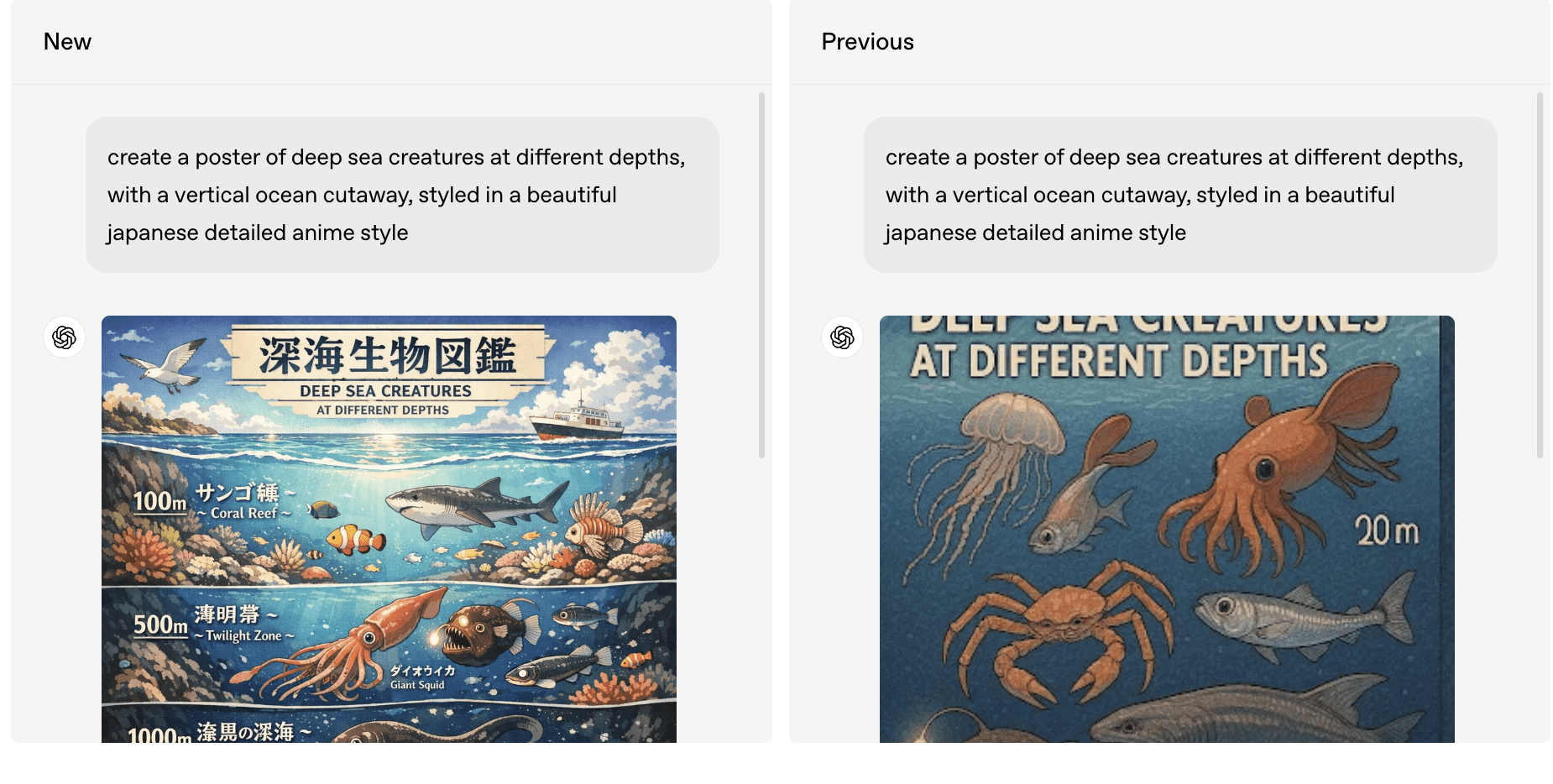


TL;DR:
OpenAI’s new GPT-Image-1.5 model marks the biggest leap forward in image generation since the earliest DALL·E releases. It now delivers precise edits, faster outputs, more reliable instruction following, and an entirely new Images experience inside ChatGPT. Whether you’re a marketer, designer, founder, or just someone who works visually, this update transforms ChatGPT into a practical, everyday creative studio.
Why This Update Matters: The New Era of “Intent-Matched Images”
AI image generation has typically struggled with consistent faces, text, and fine-grained edits. GPT-Image-1.5 flips that script.
The new model is trained to preserve what matters—lighting, composition, likeness, branded elements—while only changing what the user requests.
This shift is huge. It means ChatGPT is now viable for:
- On-the-fly brand-safe marketing creative
- Visual concept exploration without creative drift
- Repeatable character and product imagery
- Faster iteration cycles for campaigns and prototypes
In other words: this is no longer “AI as an art experiment.” It’s an everyday creative system that respects your intent.
The Biggest Upgrades in GPT-Image-1.5
Precise Editing That Actually Follows Your Instructions
The new model can add, remove, blend, transpose, restyle, and re-compose images with a level of precision that previous versions struggled with.
Users can now say things like:
- “Remove only the background.”
- “Change the shirt color but keep the lighting the same.”
- “Add more people to this scene but keep the original subject’s face unchanged.”
This matters for business use cases: think ecommerce product edits, social content teams, or brand teams that must maintain consistency at scale.
Creative Transformations Without Losing the Essence
GPT-Image-1.5 can turn your uploaded photo into:
- comic art
- movie posters
- retro ads
- photorealistic remixes
- stylized illustrations
—but unlike earlier models, it keeps important details intact. The subject stays recognizable. The composition stays intentional. The lighting doesn’t break.
This makes the model useful not just for fun transformations, but for brand storytelling, campaign ideation, and creative prototyping.
Instruction Following That Finally Works as Expected

One of the most impressive updates is how reliably the model handles complex instructions.
Need a 6×6 grid containing 36 different items?
Need multiple objects placed in a specific order?
Need an image to reflect markdown text exactly as written?
GPT-Image-1.5 doesn’t “hallucinate around the edges” like earlier models. It more closely treats your prompt as a spec sheet—and executes.
For marketers and businesses, this precision translates directly into repeatable workflows and significant time savings.
Text Rendering That Is Shockingly Good
Small text, dense text, multi-column text, layout-aware rendering—GPT-Image-1.5 handles it all far better than past releases.
This unlocks:
- poster design
- infographics
- social quote cards
- product packaging mock-ups
- presentation slides
Text no longer melts, warps, or disappears. This puts AI-generated creative in a new category: actually usable for production-adjacent work.
Here’s an example image prompt.
Create a vertical, flat-design infographic illustrating the calorie content of each ingredient in a hamburger. TITLE (top, centered, uppercase black): "HOW MANY CALORIES ARE THERE IN YOUR HAMBURGER" Subtitle beneath in smaller black text: "Layer-by-layer calorie breakdown (per burger as shown)" Small legend line under subtitle (tiny caps): "Format: [01–11] Name • Weight • Calories | kcal = kilocalories" LAYOUT & STYLE: - Arrange ingredients as a tall stack from top to bottom, numbered 01 to 11, each with a minimalist outlined illustration and solid pastel fills. - Use a beige background with a few abstract organic shapes in pale red, peach, and light gray behind some items (keep subtle, low-contrast, not overlapping text). - Place a thin vertical guide arrow on the left margin: "TOP" at the start, arrow pointing downward, "BOTTOM" near the end. - For each layer, show a bold, large, black number (01–11) to the left of the illustration. To the right of each illustration, align a concise label line: Name • Weight (if given) • Calories. Keep even spacing and consistent alignment. - Typography: bold sans-serif for title and numbers; clean sans-serif for labels. Ensure labels are legible and consistent. INGREDIENT LAYERS (top → bottom): 01 — Top Bun — 236 calories • Illustration: white bun with sesame seeds, outlined. 02 — Cheddar Cheese — 28g: 113 calories • Illustration: yellow shreds, outlined. 03 — Onions — 60g: 24 calories • Illustration: purple rings, outlined. 04 — Fresh Lettuce — 36g: 15 calories • Illustration: leafy green, outlined. 05 — Red & Green Peppers — 45g: 18 calories • Illustration: thin slices, outlined. 06 — Mushrooms — 70g: 16 calories • Illustration: white with light brown caps, outlined. 07 — Bacon — 215 calories • Illustration: five pink/red striped slices, outlined. 08 — Beef Patty — 204 calories • Illustration: brown patty, outlined. 09 — Cucumbers — 50g: 7.5 calories • Illustration: green with white centers, outlined. 10 — Tomatoes — 1 slice: 5 calories • Illustration: red slices, outlined. 11 — Lower Bun — 236 calories • Illustration: matches top bun, outlined. RIGHT-SIDE SUMMARY PANEL (small, unobtrusive): - Badge or box near the bottom right: "Estimated total (assembled burger): ≈1,090 kcal" - Tiny caption beneath: "Serving size: 1 burger" FOOTNOTES (small text at the bottom margin): "*Calories are approximate; weights refer to the amounts shown." Overall aesthetic: clean, minimalist, evenly spaced vertical composition; black text on beige with pastel accents; high readability throughout.
A New Images Experience Built Inside ChatGPT
This is one of the most underrated parts of the announcement.
In the ChatGPT sidebar you’ll now find a dedicated Images hub, including:
- preset styles
- popular prompts
- trending creative ideas
- a likeness upload feature (optional, one-time) for consistent character generation
Most importantly:
You can now continue generating while other images are still rendering—thanks to 4× faster output speeds.
This greatly accelerates the creative loop. No more waiting. No more “come back in 30 seconds.” ChatGPT becomes a frictionless ideation environment.
What This Means for Marketers and GTM Teams
The implications are enormous, especially in light of where GTM and marketing are heading in 2025 (as highlighted in your State of GTM AI research). Teams are under pressure to operate leaner and move faster.
GPT-Image-1.5 directly supports Phase 1 and Phase 2 AI adoption:
Phase 1: Productivity Boosts
- Rapid ideation for ads, social content, thumbnails
- Variations of creative assets for testing
- Quick mock-ups during campaign planning
Phase 2: Quality and ROI Impact
- More consistent brand visuals
- Better product storytelling and persona-based creative
- Instructionally exact assets for multichannel campaigns
- Real-world edits—try-ons, scene changes, props, environments
This update effectively makes every marketer a visual creator—no Photoshop required.
How Developers and AI Builders Benefit
GPT-Image-1.5 is also available in the API, with:
- stronger logo and brand preservation
- better editing fidelity
- 20% cheaper input/output costs
- faster runtimes
This makes it ideal for:
- ecommerce automation
- product image pipelines
- brand-control systems
- creative tools and plug-ins
- personalization engines
If you’re building anything that involves visual generation or manipulation, this is a major upgrade.

Featured Videos from Learning Paths
One quick watch from each curated path.