





TL;DR
I spent the last two years wiring together an AI-powered marketing operation that handles content creation, social distribution, CRM enrichment, and email personalization with almost no human intervention between steps. This isn’t a vendor pitch or a theoretical framework. It’s the actual architecture running my business right now, complete with the Make.com blueprints, the failure points, and the things I’d do differently.
- The System: Four layers: content, distribution, engagement intelligence, and CRM, all wired through one Make.com orchestration hub with Airtable as the central nervous system.
- The Key Design Decision: Research and writing run as separate LLM calls, Perplexity for grounded research and OpenAI for long-form prose, because mixing them produces plausible-sounding garbage.
- The Intelligence Layer: Every post generates engagement, and every engagement becomes a signal, captured automatically instead of the 5% you would collect manually.
- The Real ROI: Not hours saved, but outcomes that would not exist otherwise: distribution that never skips a day and contacts enriched without manual research.
- The Next Layer: A response layer that turns engagement signals into personalized outreach and routes high-value contacts into the pipeline.
Most Marketing Operations Are Held Together by Hope
You know the drill. Data lives in seventeen places. “Automation” means forwarding emails to yourself. The CRM is updated whenever someone remembers to do it, and your content distribution strategy is you, manually posting to LinkedIn at 9pm.
I decided to build something different. The APIs, the AI models, the no-code orchestration layer had all matured enough to become infrastructure. What was missing was the architecture. The blueprint for making them actually work together as a system.
Here’s what that system looks like, how it runs, and what I learned building it.
The Four-Layer Architecture
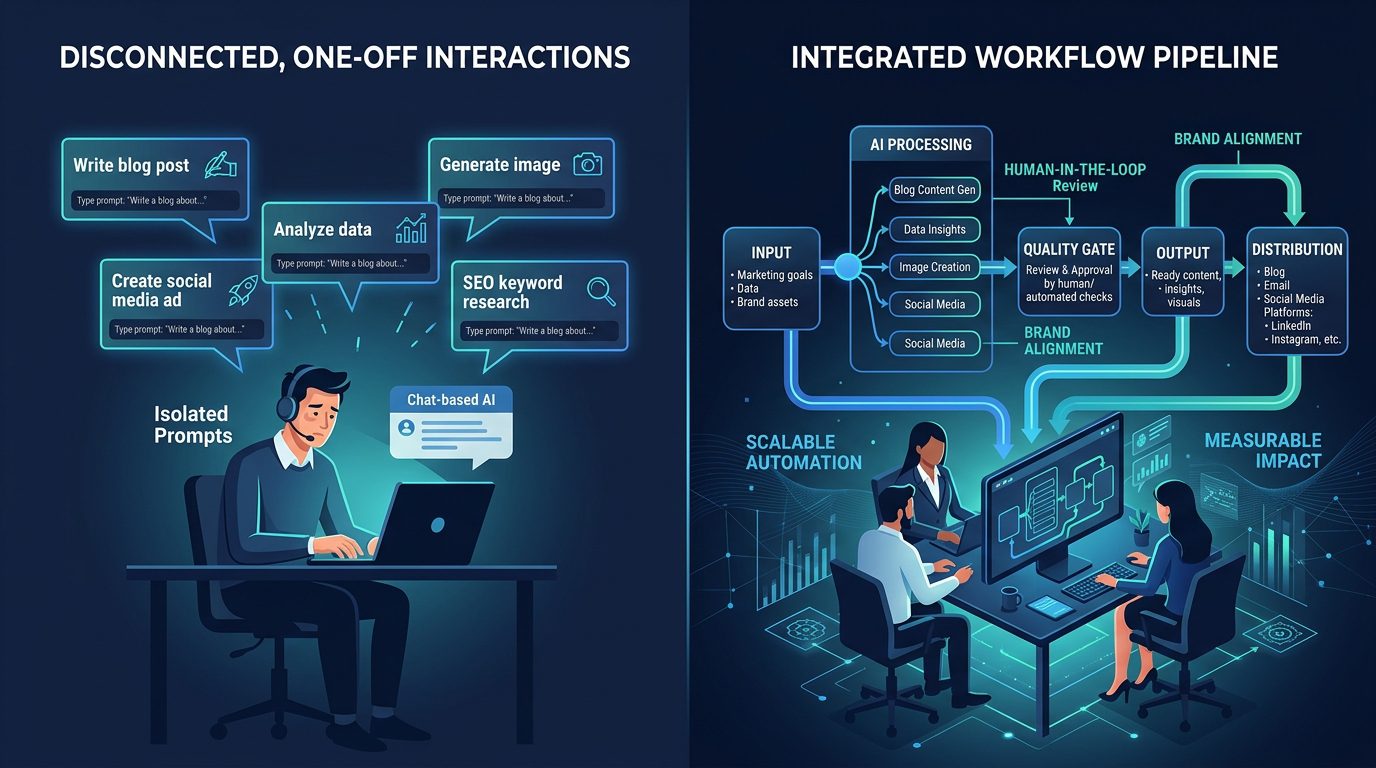
Every marketing operation breaks down into four functions: create content, distribute it, understand who’s engaging, and manage the relationship. Most companies have separate tools, teams, and processes for each layer. This is why nothing connects, why data rots, and why follow-up dies.
My stack runs all four layers through a single orchestration hub (Make.com), with Airtable as the central nervous system. Here’s how each layer actually works.
Layer 1: The AI Content Engine
The first thing I built was the most ambitious: a content generation pipeline that takes a topic from zero to finished draft without me touching it.
The Ultimate Content Bot starts when I drop a topic into Airtable. That trigger fires a Make.com scenario that chains three Perplexity research calls: one for competitive analysis, one for data gathering, one for counter-arguments, then feeds the output into four OpenAI completion modules that handle structure, draft, hooks, and headlines respectively. The finished draft lands in Google Docs, and the Airtable record gets updated with the status.

The research phase uses Perplexity because it’s grounded in web data. The writing phase uses OpenAI because it’s better at long-form prose. Mixing these into one prompt gets you plausible-sounding garbage. Separating them gets you a real first draft.
But text alone isn’t enough. I built a parallel AI Image Generation Pipeline that watches Airtable for new content records, then fires both Google Gemini and OpenAI’s image generation in parallel, writes the generated images back to Airtable, and they’re available for social posts before the article is even published.
The key architectural decision here was treating research and writing as separate LLM calls with distinct system prompts. The modules chain like this:
A new content topic lands in the queue. The system picks it up automatically.
Competitive landscape, data gathering, and counter-arguments, each with its own system prompt optimized for that task.
Article structure, full draft, hooks and headlines, and a polish pass. Each call builds on the previous output.
The finished piece lands where I can edit it. The image pipeline fires in parallel, generating visuals from both Gemini and OpenAI.
Layer 2: The Distribution Nervous System
Content that sits in a Google Doc is worthless. The distribution layer is where most marketing automation fails: you either blast everything everywhere or manually schedule each post, creating a bottleneck that defeats the purpose.
My system uses a router-based architecture. The Airtable content queue, which I call the Juggernaut, feeds into a Make.com scenario that scans the platform field on each record and routes accordingly. LinkedIn Personal, LinkedIn Chief Content Marketer, LinkedIn SignalScout, Twitter, Facebook, Instagram. Each platform is a separate branch in the router. Each has its own formatting logic, media handling, and scheduling.
“One approval in Airtable, and the content distributes to every relevant channel automatically. No logging into individual platforms. No copy-paste. No wondering whether something went out.”
Koka Sexton
The router pattern is what makes this scale. One trigger, many destinations, platform-specific formatting per branch. Add a new channel by adding a branch; the rest of the system doesn’t change. This is the difference between automation that serves one use case and automation that serves an entire operation.
Layer 3: The Intelligence Layer
Distribution is half the equation. The other half is understanding who’s engaging and what it means. Most marketers treat social engagement as a vanity metric, likes and comments as an end point. I treat it as a data pipeline.
The LinkedIn Engagement Collection System watches Airtable for new posts, then fires an API to collect engagement data from LinkedIn. Here’s where it gets interesting: the scenario has built-in sleep modules because the API runs take 30 to 90 seconds and Make.com will time out without explicit waits. Once the data is ready, it feeds through a splitter and creates or updates Airtable records for every single engager.
Sleep modules are not a hack, they’re infrastructure. Every API integration needs explicit waits between triggering the actor and fetching results. Skip the sleep and you’ll get empty datasets every time. This is what you learn at 11pm when a scenario that worked in testing fails in production.
The parallel LinkedIn Profile Enrichment System works from a different angle: it watches a Google Sheet for names and companies, runs them through the API, aggregates the results, and writes enriched profile data back to the sheet, including headline, about text, location, photo URL, and open-to-work status. Every field you’d manually copy-paste from a LinkedIn profile, captured automatically.
And the Company-to-Contact Pipeline reverses the direction: start with a company name and the API finds the people. Same pattern: Sheets trigger, the API, sleep, fetch, aggregate. The output routes through a job-title relevance filter that prioritizes decision-makers.
The intelligence layer is where the compounding happens. Every post generates engagement. Every engagement is a signal. Every signal enriches your understanding of your audience. Running this manually means you capture maybe 5% of the signal. Running it as an automated pipeline means you capture all of it, and that data feeds every downstream decision in layers 1, 2, and 4.
Layer 4: The CRM & Operations Backbone
The final layer ties everything back to the business: the CRM, the task system, the email routing. This is where most “AI marketing” setups fall apart. They generate content and post it, but nothing flows back to the business systems that actually matter.
The Gmail to Airtable CRM Auto-Log watches for new emails, searches Airtable for the sender’s contact record, and uses conditional logic to either create a new record or append to an existing one. Every email touchpoint gets logged without human intervention. The Lead Scoring Refresh runs weekly on a cron trigger, recalculating scores across the CRM and flagging high-value contacts.
The Webhook to ClickUp Integration connects external events like form submissions, deal changes, and system alerts directly to task creation with full field mapping. Assignee, priority, custom fields, all set from the webhook payload. The Email Routing System classifies and routes inbound emails based on sender, domain, and content patterns. Sales inquiries go to the pipeline. Support requests get flagged. Everything else filters accordingly.
This layer is the least glamorous but the most important. Without it, you have a content machine with no business impact. With it, every piece of content, every engagement, and every email becomes part of a closed-loop system that feeds the pipeline.
What I Actually Think
Having built this and watched it run for over a year, here’s what I’d tell anyone attempting the same thing.
The orchestration layer matters more than the AI. Everyone fixates on which LLM to use. The real leverage is in the plumbing: the triggers, the routers, the error handling, the write-backs. I use Perplexity for research and OpenAI for writing, but the system would work with Claude or Gemini or any other model. The value isn’t in the model choice. It’s in the architecture that makes the models work together.
Airtable is the unsung hero. It’s simultaneously the content queue, the CRM, the database, and the audit trail, all in one tool that talks to everything. The reason I can route content to seven platforms from one trigger is because Airtable’s field structure stores platform, status, schedule date, and media in a single record. One source of truth, many destinations. This is the architectural pattern that makes scale possible without complexity exploding.
The first version of every one of these automations worked perfectly in testing and broke within a week in production. API rate limits, timeout issues, missing data, format changes: these failure modes matter more than the success modes. I now build error handlers into every scenario before I build the main logic. Route errors to Slack or a dedicated Airtable view. If you can’t see your failures, you can’t fix them.
The ROI isn’t time saved, it’s signal captured. People ask how many hours this saves. Wrong question. The real value is that the system captures engagement data I would never collect manually, enriches contacts I would never research individually, and distributes content I would skip posting when I got busy. The automation doesn’t save time, it creates outcomes that wouldn’t exist otherwise.
The Architecture Principle
Content → Distribution → Intelligence → CRM. Each layer feeds the next. Break the chain and the system reverts to manual work.
The Full Blueprint
| Layer | Trigger | Core Modules | Output |
|---|---|---|---|
| Content Engine | Airtable new record | Perplexity (3x research) → OpenAI (4x writing) | Google Docs draft + AI images |
| Distribution | Airtable approved content | Router → 7 platform branches | Posts on all channels |
| Intelligence | New post / Google Sheet row | the API → Sleep → Fetch → Airtable | Enriched contact database |
| CRM & Ops | Email / Webhook / Cron | Gmail → Airtable → ClickUp → Slack | Auto-logged contacts + tasks |
Where This Goes Next
This system isn’t done. It never will be. The next layer I’m building is the response layer: not just detecting who engaged, but acting on it. Trigger personalized outreach sequences based on engagement patterns. Route high-value contacts to the sales pipeline automatically. Use engagement history to personalize every email, every DM, every touchpoint.
The architecture is ready for it. The intelligence layer knows who’s engaging and how much. The CRM layer has the contact records. The distribution layer has the channels. All that’s left is connecting the last dots. And that’s probably a Make.com scenario I’ll build next week.
If you’re building something similar or trying to, I’m happy to compare notes. The blueprint exists. The question is whether you’ll actually build it, or keep forwarding emails to yourself.