





TL;DR
- The shift: AI agents are not chatbots. They are autonomous operators that run nurture, scoring, routing, and monitoring inside guardrails you define.
- The framework: Match autonomy to risk across five levels, from recommend to full autonomy, and let each agent earn its way up.
- The first three: Signal Router, Content Orchestrator, Pipeline Analyst. Start there, not with your entire stack.
- The architecture: Trigger, context window, decision engine, action layer. The action layer is where the risk lives.
- The plan: Four weeks, one agent at a time, human review throughout. Most teams ship their first marketing agent in under two weeks.
Most of the conversation about AI in marketing is still about content generation. Can AI write a blog post? Can it generate ad copy? Can it produce social captions? The answer to all three has been yes for two years. The more interesting question is whether AI can run the marketing operations layer itself. The answer is also yes, and most teams are not ready for what that means.
I have spent the last year building AI agent systems for B2B marketing operations: autonomous operators that decide, execute workflows, and surface exceptions within boundaries I set. The difference between an AI assistant and an AI agent is the difference between a calculator and an accountant. One helps you do the work. The other does the work and tells you what needs your attention.
What an AI Marketing Agent Actually Is
An AI marketing agent is software that observes marketing data, decides on an action, and executes that action inside constraints a human defines. It runs a loop: watch a trigger, pull context, decide, take an action, and report what it did. That loop is what separates an agent from a chatbot (which answers questions) and a copilot (which drafts while a human drives). The agent owns the outcome, not just the suggestion.
Most B2B teams already use AI to generate assets. Few have moved it into the operations layer. There it can score a lead, route an account, monitor a pipeline, and flag the one thing that needs a human that morning. That second move is where the compounding value sits. For a vendor-neutral description of the pattern, see Google Cloud’s explainer on AI agents.
Autonomy is earned, not granted. Every AI agent should start at Level 1 (recommend) and earn its way up the ladder based on decision quality over time. A bad recommendation costs a few minutes of review. A bad autonomous execution can cost pipeline.
The Five Autonomy Levels for Marketing AI
Not every task should be fully autonomous. The key to deploying AI agents without blowing up your marketing operations is matching the autonomy level to the risk level of the task. Here is the framework for deciding how much rope to give each agent:
| Level | Description | Example Task | Risk |
|---|---|---|---|
| Level 1: Recommend | AI analyzes data and suggests actions. Human decides. | Lead scoring recommendations, content topic suggestions | Low |
| Level 2: Draft | AI produces a draft output. Human reviews and approves before anything goes live. | Email copy, social posts, nurture sequence design | Low-Medium |
| Level 3: Execute with Gate | AI executes actions but pauses at defined checkpoints for human approval. | Multi-step nurture enrollment, campaign budget pacing | Medium |
| Level 4: Execute with Alert | AI executes autonomously and notifies humans of what it did. Humans can override or roll back. | Lead routing, content distribution, A/B test management | Medium-High |
| Level 5: Full Autonomy | AI operates independently within defined constraints. Humans monitor exceptions only. | Real-time bid adjustments, spam filtering, anomaly detection alerts | High |
Every deployment starts at Level 1 or 2, regardless of the task. The agent proves itself over weeks, not hours. Consistent good recommendations earn Level 3. Consistent good outcomes from those approved executions earn Level 4. Most teams should never take a marketing agent to Level 5. The cost of a bad fully autonomous decision compounds across customer trust, brand perception, and pipeline quality in ways that are hard to reverse.
The Three Marketing Agents I Deployed First
When building agent systems for marketing operations and for clients, the temptation is to automate everything at once. That fails. The wins came from three specific tasks where the ROI was immediate and the risk profile was manageable. Here is the order:
Agent 1: The Signal Router
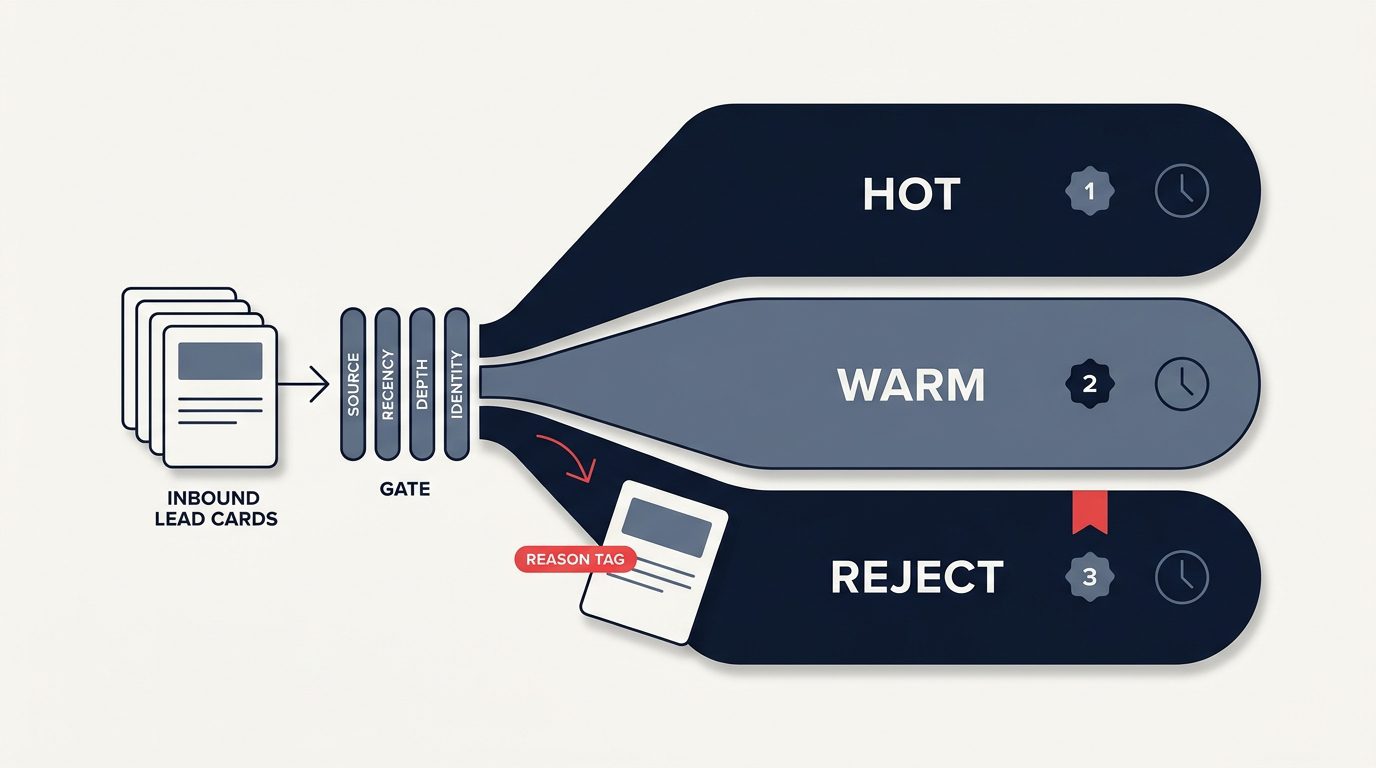
This agent monitors intent across our data sources, including LinkedIn engagement, website behavior, and third-party account signals from tools like Apollo, then routes high-signal accounts to the right person with the right context. When an account hits a signal threshold (three or more signals in 14 days), the agent writes a summary brief and suggests a next action: a content share, personalized outreach, or a demo invitation. It then posts the brief to the relevant Slack channel or Notion database.

Before the Signal Router, our team was manually checking intent tools and LinkedIn notifications. Most signals were missed. The ones that were caught took hours to surface. Now the agent surfaces the top five signal accounts every morning with a two-sentence brief on each. The team spends five minutes reviewing instead of two hours hunting. This is the same logic behind the signal intelligence approach to ABM, just moved from a weekly ritual to a daily loop.
Agent 2: The Content Orchestrator
This agent handles the content repurposing pipeline covered in this content repurposing framework. When a new article publishes, the agent decomposes it into atomic value pieces and formats each piece for its target channel. It then outputs ready-to-review drafts for LinkedIn, email, X, and sales enablement. It operates at Level 2 (draft with human review) and saves roughly 4 to 6 hours per article.
Agent 3: The Pipeline Analyst
This agent runs three analyses every morning on CRM and analytics data: anomaly detection (what moved more than one standard deviation from trend?), pipeline forecast (what do the next 30 and 90 days look like based on current velocity?), and source-shift alerts (has the pipeline source mix changed?). It operates at Level 4, executing the analysis autonomously and posting findings to a dedicated Slack channel. The only human action required is deciding whether to act on the alert. It is the operating heartbeat behind the customer intelligence loop.
This agent has caught pipeline problems weeks before they would have surfaced in a monthly review. In one case, it detected a 40 percent drop in signal density from our highest-performing content pillar. That drop would have taken two more weeks to notice in our regular reporting cadence. We adjusted the content calendar the same day.

An AI agent that catches a pipeline problem on Tuesday is worth more than a dashboard that reports it on the 15th of next month. Speed of detection is speed of response. Speed of response is pipeline saved.
The Architecture: How Agents Actually Work
If you are going to build agent systems, you need to understand the parts. Every production agent moves through four stages:
The trigger is what causes the agent to wake up: scheduled (every morning at 7am), event-driven (new article published, signal threshold crossed), or on demand. The context window is what data it can see, and the art is finding the balance. Too little context and the agent is stupid. Too much and it is slow and expensive. The decision engine is the model plus the prompt, and a well-engineered prompt is the difference between useful recommendations and plausible-sounding noise. The action layer is what the agent can actually touch, and that is where security lives. Marketing agents stay on read-heavy operations (analysis, routing, drafting) and approval-gated writes (CRM updates, email enrollment, ad budget changes).
For orchestration, a no-code workflow platform connects your CRM, email platform, Slack, databases, and model APIs. The model layer can be Claude, GPT, or DeepSeek depending on cost sensitivity. DeepSeek handles high-volume, low-complexity decisions at a fraction of the cost, and Claude handles the high-stakes calls where reasoning quality matters most. If you are new to the design patterns, Anthropic’s guide to building effective agents is the clearest primer I have found.
The Four-Week Deployment Plan
Do not try to deploy all three agents at once. Here is the sequence I recommend, based on what has worked across multiple deployments:
Start with anomaly detection only. Connect your CRM and analytics to a model through your orchestration platform. Run a daily scan of your top five metrics. The agent posts findings to Slack. No automated actions yet, just surfacing what it sees. This builds trust in the agent’s judgment and gives your team a feel for working with agent-driven insights.
Connect your intent data sources and LinkedIn engagement data. Define signal thresholds. The agent produces a daily digest of the top 5 to 10 signal accounts with recommended next actions. Human reviews and decides. Measure how many of the agent’s recommendations the team acts on.
Set up the decomposition and formatting pipeline. The agent produces drafts for LinkedIn, email, X, and sales enablement every time a new article publishes. Human reviews before anything goes live. Measure how much editing each output requires, then tune prompts until editing time drops below 5 minutes per asset.
Review the performance of all three agents. Which decisions were good? Which were off? Graduate the agents that earned trust to higher autonomy levels. The Pipeline Analyst is usually the first to earn Level 4 because its recommendations are data-driven and reversible. The Signal Router typically stays at Level 2-3 because routing decisions affect customer experience.
What I Have Learned the Hard Way
Building 171 automation scenarios taught me a few things about agent systems that no whitepaper covers:
1. Prompt drift is real. An agent’s behavior changes over time as the model updates, as your data changes, and as edge cases accumulate. You need a monitoring system that checks output quality, not just uptime. Agent outputs get reviewed weekly for the first month, then monthly after they stabilize.
2. Cost compounds silently. API calls that cost fractions of a cent add up when an agent runs 30 times a day across 20 checks. Use cost-efficient models for high-volume tasks. DeepSeek handles about 80 percent of my agent workload at roughly one-tenth the cost of Claude. Reserve the expensive model for tasks where reasoning quality directly hits revenue.
3. The human in the loop is a feature, not a limitation. Teams that resist agent deployment usually think “autonomous” means “unmanaged.” It does not. Level 3 and 4 autonomy, execute with human gates or alerts, is the sweet spot for marketing operations. You get the speed of AI with the judgment of humans. That is not a compromise. That is the design.
4. Start with one agent, one task, one morning per week. The teams that succeed start small and let the agent prove itself. The teams that fail try to automate the whole stack in one sprint. The agents make bad decisions because nobody tuned the prompts, and the organization sours on AI agents entirely. Do not be the second team. Run your operations like a product and treat the agent as a teammate with a defined scope, the way I describe in running marketing ops like a product.
AI Agents in B2B Marketing: FAQ
What is an AI agent in B2B marketing?
An AI agent in B2B marketing is a system that observes marketing data, decides on an action, and executes it within human-defined constraints. It differs from a chatbot, which answers questions, and a copilot, which suggests edits while a human drives. The agent owns a full loop: trigger, context, decision, and action.
What should I automate first with an AI agent?
Start with monitoring and analysis, not execution. A pipeline analyst that scans your core metrics daily and posts anomalies to Slack is the lowest-risk, highest-trust first agent. It surfaces problems without touching customer-facing systems, so the team learns to trust its judgment before you grant it any write access.
How do I stop an AI agent from making a bad decision?
Match autonomy to risk. Keep customer-facing and budget-touching tasks at Level 3 (execute with a human gate) or lower, and let the agent earn higher autonomy only after weeks of consistent decisions. Restrict the action layer to read-heavy operations and approval-gated writes, and always keep a rollback path.
Do AI agents replace marketing operations roles?
No. They remove the 10 to 15 hours a week a team spends hunting for signals, pulling reports, and reformatting content. The judgment work, which accounts to chase, what to say, and when to spend, stays with people. The agent changes the job from collecting information to acting on it.
How long does it take to deploy a marketing agent?
Most teams can have their first agent in production within two weeks of a working session. The build itself is fast; the slow part is defining the constraints and tuning the prompt. A four-week plan, one agent per week, is enough to run three agents at Level 1-2 and graduate the ones that earn it.
What Comes Next
The agent systems I described are the foundation. The next layer is multi-agent coordination. The Signal Router detects a high-intent account, tells the Content Orchestrator to generate a custom nurture sequence, and tells the Pipeline Analyst to monitor its progression through the funnel. Prototype multi-agent systems can run on webhooks as the inter-agent communication layer, with a lightweight routing agent deciding which specialist to invoke.
Multi-agent systems are a 2027 conversation for most teams. For now, the single-agent framework here will take most B2B marketing teams further than they think. The gap between “we use AI to write blog posts” and “we run autonomous agents across marketing operations” is wide, and most of the value is in crossing it.
If you want to deploy your first marketing agent, or you need help designing the architecture, tuning the prompts, and setting the autonomy guardrails, let us build it.
Deploy Your First AI Agent →